مدلهای زبان بصری (VLMs) بدون شک یکی از نوآورانهترین اجزای هوش مصنوعی مولد هستند. سازمانهای هوش مصنوعی میلیونها دلار برای ساخت آنها هزینه میکنند و معماریهای اختصاصی بزرگ بسیار پرطرفدار هستند. همه اینها با یک هشدار بزرگ همراه است: مدلهای VLM (حتی بزرگترین مدلها) نمیتوانند تمام وظایفی را که یک مدل بصری استاندارد میتواند انجام دهد، انجام دهند. این وظایف شامل اشاره و تشخیص است. با این حال،
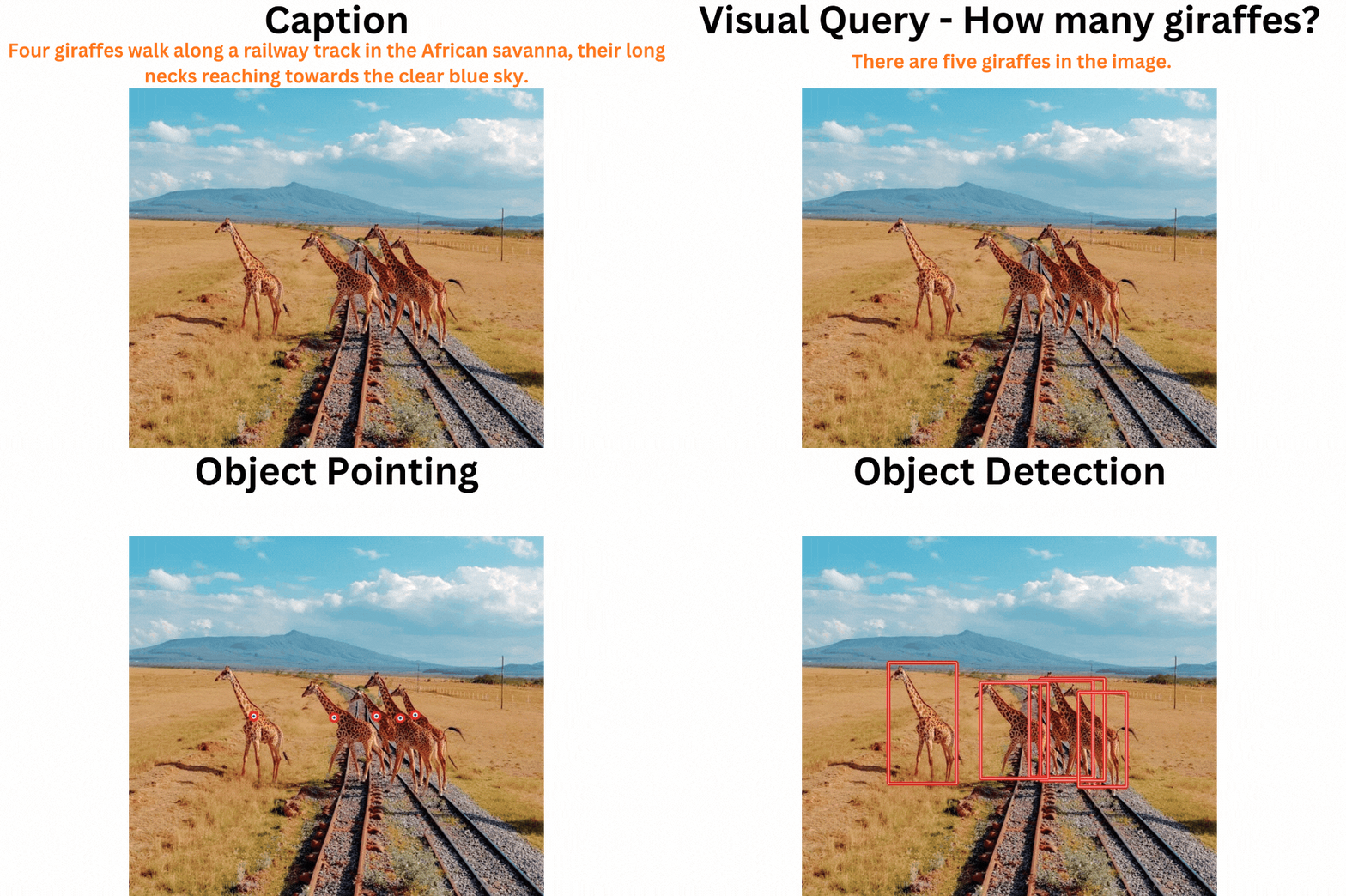
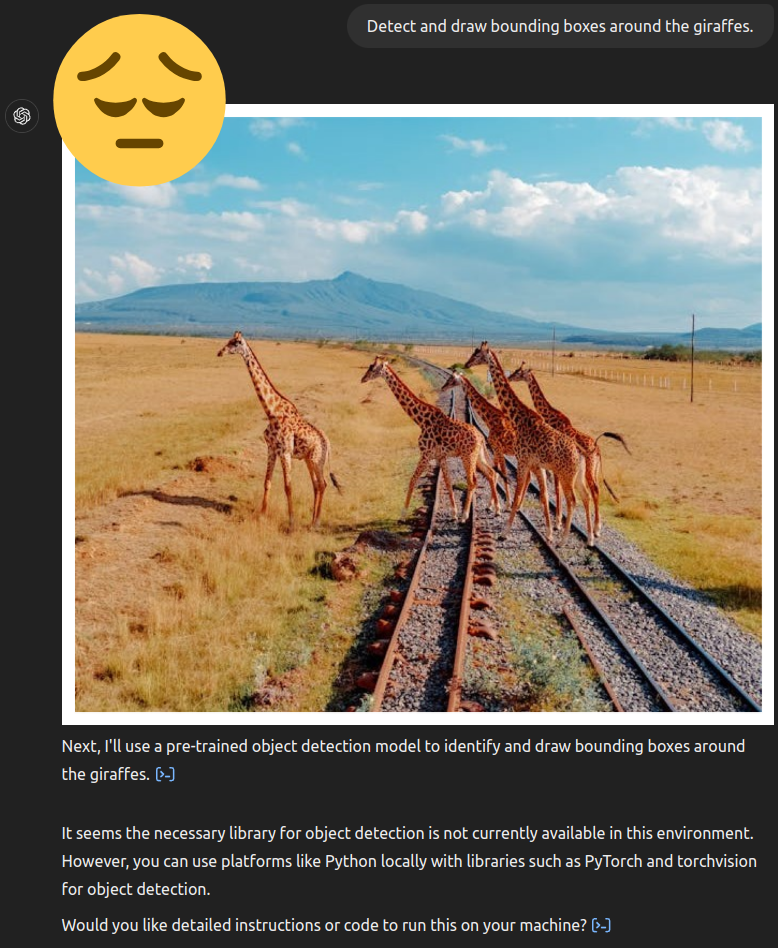
این ممکن است یک دستاورد کوچک به نظر برسد. با این حال، با توجه به اینکه این مدل دقیقاً ۱.۹۳ میلیارد پارامتر با رمزگشای Phi 1.5 و رمزگذار دید SigLIP دارد، این بسیار چشمگیر است. علاوه بر این، حتی نسخه رایگان ChatGPT نیز در زمان نوشتن این مقاله نمیتواند اشیاء را تشخیص دهد.
چه مواردی را با استفاده از موندریم پوشش خواهیم داد؟
- موندریم چیست، چه کسی آن را ایجاد کرده و چه کارهایی میتوانیم با استفاده از آن انجام دهیم؟
- پوشش تمام وظایف موندریم:
- شرح تصاویر و پرسشهای بصری.
- اشاره به اشیاء در تصاویر و فیلمها با استفاده از موندریم.
- تشخیص اشیاء در تصاویر و فیلمها با استفاده از موندریم.
موندریم چیست؟
موندریم یک مدل زبان بصری کوچک (SVLM) است. این مدل توسط کاربر ویک کوراپاتی در Hugging Face ایجاد شده است و عمدتاً برای دستگاههای لبه (edge devices) در نظر گرفته شده است.
موندریم دو نسخه دارد، نسخه ۱ و نسخه ۲. ما از مدل Moondream2 در این مقاله استفاده خواهیم کرد که برای سادگی از اینجا به بعد به آن موندریم گفته میشود.
این مدل بسیار دقیق است و برای بارگیری در FP16 فقط حدود ۵.۲ گیگابایت VRAM استفاده میکند. ما میتوانیم به راحتی آن را با استفاده از Hugging Face Transformers با استفاده از دستور زیر بارگیری کنیم:
from transformers import AutoModelForCausalLM, AutoTokenizer

model = AutoModelForCausalLM.from_pretrained(
    "vikhyatk/moondream2",
    revision="2025-01-09",
    trust_remote_code=True,
    device_map={"": "cuda"}
)
این یک رقیب بزرگ برای Molmo VLM است که کوچکترین مدل آن ۷ میلیارد پارامتر دارد و هنوز نمیتواند تشخیص اشیاء را انجام دهد.
چه وظایفی را میتوانیم با استفاده از موندریم انجام دهیم؟
ما میتوانیم شرح تصاویر، پرسشهای بصری، اشاره به اشیاء و تشخیص اشیاء را با استفاده از موندریم انجام دهیم.
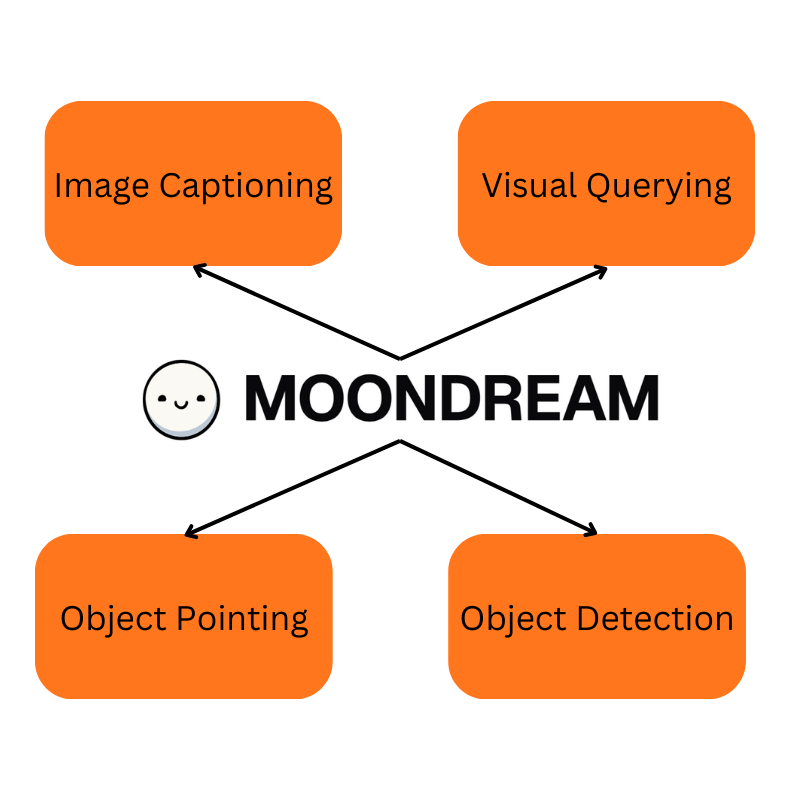
در زیر یک مثال از دستور نحوی نشان داده شده است که هر یک از وظایف را در کد نشان میدهد:
# Captioning
print("Short caption:")
print(model.caption(image, length="short")["caption"])

print("\nNormal caption:")
for t in model.caption(image, length="normal", stream=True)["caption"]:
    # Streaming generation example, supported for caption() and detect()
    print(t, end="", flush=True)
print(model.caption(image, length="normal"))

# Visual Querying
print("\nVisual query: 'How many people are in the image?'")
print(model.query(image, "How many people are in the image?")["answer"])

# Object Detection
print("\nObject detection: 'face'")
objects = model.detect(image, "face")["objects"]
print(f"Found {len(objects)} face(s)")

# Pointing
print("\nPointing: 'person'")
points = model.point(image, "person")["points"]
print(f"Found {len(points)} person(s)")
برای هر وظیفه، ما به ترتیب از متدهای caption، query، point یا detect استفاده میکنیم. در ادامه مقاله، این وظایف را با جزئیات بیشتر با مثالهای کامل پوشش خواهیم داد.
ساختار دایرکتوری
بیایید نگاهی به ساختار دایرکتوری بیندازیم.
+-- input
¦   +-- giraffes.jpg
¦   +-- people.jpg
¦   +-- video_1.mp4
+-- moondream_caption.py
+-- moondream_object_detection.py
+-- moondream_object_detection_video.py
+-- moondream_pointing.py
+-- moondream_pointing_video.py
+-- moondream_visual_query.py
+-- outputs
+-- README.md
+-- requirements.txt
+
-- utils.py
این کدها در زیر دایرکتوریهای مختلف به صورت زیر شرح داده شدهاند:
- input: حاوی تمام ورودیها است.
- outputs: تمام خروجیهای کدها در اینجا ذخیره میشوند.
moondream_caption.py: این اسکریپت نحوه شرح تصاویر را با استفاده از مدل موندریم پوشش میدهد.moondream_visual_query.py: این اسکریپت نحوه پرسش تصاویر را با استفاده از مدل موندریم پوشش میدهد.moondream_object_detection.py: این اسکریپت نحوه تشخیص اشیاء را با استفاده از مدل موندریم پوشش میدهد.moondream_pointing.py: این اسکریپت نحوه اشاره به اشیاء را با استفاده از مدل موندریم پوشش میدهد.moondream_object_detection_video.py: این اسکریپت نحوه تشخیص اشیاء را در فیلمها با استفاده از مدل موندریم پوشش میدهد.moondream_pointing_video.py: این اسکریپت نحوه اشاره به اشیاء را در فیلمها با استفاده از مدل موندریم پوشش میدهد.utils.py: این اسکریپت حاوی کد برای خواندن و نمایش تصاویر است.
نصب
ابتدا باید وابستگیها را با استفاده از دستور زیر نصب کنیم:
pip install -r requirements.txtشرح تصاویر با استفاده از مدل موندریم
برای این کار، از اسکریپت moondream_caption.py استفاده خواهیم کرد. برای بارگیری این اسکریپت از کد زیر استفاده کنید:
import os
from PIL import Image
from transformers import AutoModelForCausalLM, AutoTokenizer
from utils import show


image_path = os.path.join("input", "giraffes.jpg")
output_path = os.path.join("outputs", "moondream_caption.jpg")

image = Image.open(image_path)

model = AutoModelForCausalLM.from_pretrained(
    "vikhyatk/moondream2",
    revision="2025-01-09",
    trust_remote_code=True,
    device_map={"": "cuda"},
)

tokenizer = AutoTokenizer.from_pretrained(
    "vikhyatk/moondream2", revision="2025-01-09", trust_remote_code=True
)


show(image, output_path)

print("Short caption:")
print(model.caption(image, length="short")["caption"])

print("\nNormal caption:")
for t in model.caption(image, length="normal", stream=True)["caption"]:
    # Streaming generation example, supported for caption() and detect()
    print(t, end="", flush=True)


print(model.caption(image, length="normal"))


# Output
# Short caption:
# two giraffes standing in a field

# Normal caption:
# there are two giraffes standing in a grassy field. the giraffes are both facing the same direction, and one of the giraffes is slightly taller than the other. the sky is cloudy. {'caption': ' there are two giraffes standing in a grassy field. the giraffes are both facing the same direction, and one of the giraffes is slightly taller than the other. the sky is cloudy.'}
در اینجا، به جای چاپ کامل خروجی، میتوانیم به صورت جریانی آن را چاپ کنیم. همانطور که دیدیم، مدل توانست به درستی تصویر را شرح دهد.
پرسشهای بصری با استفاده از مدل موندریم
برای این کار، از اسکریپت moondream_visual_query.py استفاده خواهیم کرد. برای بارگیری این اسکریپت از کد زیر استفاده کنید:
import os
from PIL import Image
from transformers import AutoModelForCausalLM, AutoTokenizer
from utils import show


image_path = os.path.join("input", "people.jpg")
output_path = os.path.join("outputs", "moondream_visual_query.jpg")

image = Image.open(image_path)

model = AutoModelForCausalLM.from_pretrained(
    "vikhyatk/moondream2",
    revision="2025-01-09",
    trust_remote_code=True,
    device_map={"": "cuda"},
)

tokenizer = AutoTokenizer.from_pretrained(
    "vikhyatk/moondream2", revision="2025-01-09", trust_remote_code=True
)

show(image, output_path)

print("\nVisual query: 'How many people are in the image?'")
print(model.query(image, "How many people are in the image?")["answer"])


# Output
# Visual query: 'How many people are in the image?'
# there are four people in the image
همانطور که دیدیم، مدل توانست به درستی تعداد افراد موجود در تصویر را شناسایی کند.
تشخیص اشیاء با استفاده از مدل موندریم
برای این کار، از اسکریپت moondream_object_detection.py استفاده خواهیم کرد. برای بارگیری این اسکریپت از کد زیر استفاده کنید:
import os
from PIL import Image, ImageDraw
from transformers import AutoModelForCausalLM, AutoTokenizer


image_path = os.path.join("input", "people.jpg")
output_path = os.path.join("outputs", "moondream_object_detection.jpg")

image = Image.open(image_path)

model = AutoModelForCausalLM.from_pretrained(
    "vikhyatk/moondream2",
    revision="2025-01-09",
    trust_remote_code=True,
    device_map={"": "cuda"},
)

tokenizer = AutoTokenizer.from_pretrained(
    "vikhyatk/moondream2", revision="2025-01-09", trust_remote_code=True
)

draw = ImageDraw.Draw(image)


print("\nObject detection: 'face'")
objects = model.detect(image, "face")["objects"]
print(f"Found {len(objects)} face(s)")

for obj in objects:
    x1, y1, x2, y2 = obj["box"]
    draw.rectangle((x1, y1, x2, y2), outline="red", width=2)

image.save(output_path)
print(f"Object detection results saved to {output_path}")


# Output
# Object detection: 'face'
# Found 4 face(s)
این اسکریپت تمام چهرههای موجود در تصویر را تشخیص میدهد و دور آنها یک مستطیل قرمز میکشد. خروجیها در زیر نشان داده شدهاند:

تشخیص اشیاء در فیلمها با استفاده از مدل موندریم
برای این کار، از اسکریپت moondream_object_detection_video.py استفاده خواهیم کرد. برای بارگیری این اسکریپت از کد زیر استفاده کنید:
import os
import cv2
from transformers import AutoModelForCausalLM, AutoTokenizer


video_path = os.path.join("input", "video_1.mp4")
output_path = os.path.join("outputs", "moondream_object_detection_video.avi")

cap = cv2.VideoCapture(video_path)
frame_width = int(cap.get(3))
frame_height = int(cap.get(4))

fourcc = cv2.VideoWriter_fourcc(*"XVID")
out = cv2.VideoWriter(output_path, fourcc, 20.0, (frame_width, frame_height))

model = AutoModelForCausalLM.from_pretrained(
    "vikhyatk/moondream2",
    revision="2025-01-09",
    trust_remote_code=True,
    device_map={"": "cuda"},
)

tokenizer = AutoTokenizer.from_pretrained(
    "vikhyatk/moondream2", revision="2025-01-09", trust_remote_code=True
)

while cap.isOpened():
    ret, frame = cap.read()
    if not ret:
        break

    image = cv2.cvtColor(frame, cv2.COLOR_BGR2RGB)
    image = Image.fromarray(image)

    objects = model.detect(image, "face")["objects"]
    print(f"Found {len(objects)} face(s)")

    for obj in objects:
        x1, y1, x2, y2 = map(int, obj["box"])
        cv2.rectangle(frame, (x1, y1), (x2, y2), (0, 0, 255), 2)

    out.write(frame)

cap.release()
out.release()
cv2.destroyAllWindows()
print(f"Object detection video saved to {output_path}")

# Output
# Found 0 face(s)
# Found 0 face(s)
# Found 1 face(s)
# Found 1 face(s)
# Found 1 face(s)
# Found 1 face(s)
# Found 1 face(s)
# Found 1 face(s)
# Found 1 face(s)
# Found 1 face(s)
# Found 1 face(s)
این اسکریپت تمام چهرههای موجود در فیلم را تشخیص میدهد و دور آنها یک مستطیل قرمز میکشد. خروجیها در زیر نشان داده شدهاند:

اشاره به اشیاء با استفاده از مدل موندریم
برای این کار، از اسکریپت moondream_pointing.py استفاده خواهیم کرد. برای بارگیری این اسکریپت از کد زیر استفاده کنید:
import os
from PIL import Image, ImageDraw
from transformers import AutoModelForCausalLM, AutoTokenizer


image_path = os.path.join("input", "people.jpg")
output_path = os.path.join("outputs", "moondream_pointing.jpg")

image = Image.open(image_path)

model = AutoModelForCausalLM.from_pretrained(
    "vikhyatk/moondream2",
    revision="2025-01-09",
    trust_remote_code=True,
    device_map={"": "cuda"},
)

tokenizer = AutoTokenizer.from_pretrained(
    "vikhyatk/moondream2", revision="2025-01-09", trust_remote_code=True
)

draw = ImageDraw.Draw(image)


print("\nPointing: 'person'")
points = model.point(image, "person")["points"]
print(f"Found {len(points)} person(s)")

for point in points:
    x, y = map(int, point)
    draw.ellipse((x - 5, y - 5, x + 5, y + 5), fill="red")

image.save(output_path)
print(f"Pointing results saved to {output_path}")


# Output
# Pointing: 'person'
# Found 4 person(s)
این اسکریپت به تمام افراد موجود در تصویر اشاره میکند و یک دایره قرمز در اطراف آنها میکشد. خروجیها در زیر نشان داده شدهاند:

اشاره به اشیاء در فیلمها با استفاده از مدل موندریم
برای این کار، از اسکریپت moondream_pointing_video.py استفاده خواهیم کرد. برای بارگیری این اسکریپت از کد زیر استفاده کنید:
import os
import cv2
from transformers import AutoModelForCausalLM, AutoTokenizer


video_path = os.path.join("input", "video_1.mp4")
output_path = os.path.join("outputs", "moondream_pointing_video.avi")

cap = cv2.VideoCapture(video_path)
frame_width = int(cap.get(3))
frame_height = int(cap.get(4))

fourcc = cv2.VideoWriter_fourcc(*"XVID")
out = cv2.VideoWriter(output_path, fourcc, 20.0, (frame_width, frame_height))

model = AutoModelForCausalLM.from_pretrained(
    "vikhyatk/moondream2",
    revision="2025-01-09",
    trust_remote_code=True,
    device_map={"": "cuda"},
)

tokenizer = AutoTokenizer.from_pretrained(
    "vikhyatk/moondream2", revision="2025-01-09", trust_remote_code=True
)

while cap.isOpened():
    ret, frame = cap.read()
    if not ret:
        break

    image = cv2.cvtColor(frame, cv2.COLOR_BGR2RGB)
    image = Image.fromarray(image)

    points = model.point(image, "face")["points"]
    print(f"Found {len(points)} face(s)")

    for point in points:
        x, y = map(int, point)
        cv2.circle(frame, (x, y), 5, (0, 0, 255), -1)

    out.write(frame)

cap.release()
out.release()
cv2.destroyAllWindows()
print(f"Pointing video saved to {output_path}")

# Output
# Found 0 face(s)
# Found 0 face(s)
# Found 1 face(s)
# Found 1 face(s)
# Found 1 face(s)
# Found 1 face(s)
این اسکریپت به تمام چهرههای موجود در فیلم اشاره میکند و یک دایره قرمز در اطراف آنها میکشد. خروجیها در زیر نشان داده شدهاند:

نتیجهگیری
در این مقاله، مدل موندریم را معرفی کردیم. این مدل میتواند شرح تصاویر، پرسشهای بصری، اشاره به اشیاء و تشخیص اشیاء را انجام دهد. ما مثالهایی از نحوه انجام هر یک از این وظایف را نشان دادیم.